

Blog

Industry Leader in Offering Web and Digital Marketing Solutions.

Category Archives: Digital Marketing

9 SEO Metrics to Let Go of Before 2026

9 SEO Metrics to Let Go of Before 2026

Search engine optimization has changed a lot over the last few years. With smarter algorithms, AI-driven results, and changing user behavior, many traditional SEO metrics no longer tell the full story. If you are still building your strategy around outdated numbers, your 2026 plan could suffer.

It is time to rethink what really matters. Below are nine SEO metrics that deserve less attention, and why focusing on them can hold your growth back.

Keyword Rankings Without Context

Ranking number one on Google used to be the ultimate goal. Today, it is not that simple. Search results now include featured snippets, AI summaries, shopping results, local packs, and videos. Even if your website ranks first organically, users may not even scroll to see it.

Instead of obsessing over ranking positions, focus on whether your keywords bring qualified traffic and real conversions. A lower-ranking keyword that generates leads is far more valuable than a top-ranking keyword that brings no business.

Total Organic Traffic Alone

High traffic looks impressive in reports. But traffic without intent is meaningless. If visitors land on your site and leave without taking action, the numbers do not help your business grow.

In 2026, quality matters more than quantity. It is better to attract 1,000 visitors who are ready to buy than 10,000 visitors who are just browsing.

Bounce Rate as a Fear Metric

Bounce rate often scares website owners. But it does not always signal a problem. A user may visit your blog, find the exact answer they need, and leave satisfied. That still counts as a bounce.

Search engines care more about user satisfaction than whether someone clicks a second page. Instead of panic over bounce rate, focus on engagement and conversions.

Domain Authority Obsession

Many marketers treat domain authority as a success score. However, it is a third-party metric, not a ranking factor officially used by search engines.

A lower authority site can still outrank bigger websites if the content is more relevant and useful. Building trust and expertise is more important than chasing a number created by SEO tools.

Number of Backlinks

Backlinks are important, but counting them blindly is risky. One strong, relevant backlink from a trusted website can be more powerful than hundreds of weak ones.

In 2026, quality, relevance, and natural linking patterns will matter far more than volume.

Exact Match Keyword Density

There was a time when repeating a keyword many times improved rankings. Today, this approach can harm your website. Search engines understand context, synonyms, and user intent.

Content should be written naturally for people first. If your article sounds robotic because of forced keyword usage, it will hurt both user experience and rankings.

Page Views Per Session

This metric once suggested how engaging a website was. But modern users prefer fast answers. If your content solves a problem clearly on one page, users may not need to click further.

More pages viewed does not always mean better performance. Clear and helpful content is what truly matters.

Impressions Without Click Analysis

Impressions show how often your page appears in search results. But if impressions are high and clicks are low, it may indicate weak titles or mismatched intent.

Instead of celebrating impressions alone, evaluate how effectively your content encourages users to take action.

Time on Page as a Standalone Metric

Longer time on page may seem positive, but it does not always mean users are engaged. They might be confused, distracted, or comparing other tabs.

Context is key. Combine this metric with conversions, scroll depth, and user actions to understand real performance.

What Should Replace These Metrics?

SEO in 2026 should focus on business outcomes. Conversions, qualified leads, revenue from organic traffic, and user satisfaction signals should guide your strategy. Search engines are becoming more intelligent, and they reward websites that genuinely help users.

The future of SEO is not about chasing numbers for reports. It is about building authority, trust, and relevance in your niche.

If you stop relying on outdated metrics and start measuring what truly impacts your business, your 2026 strategy will be stronger, smarter, and more profitable.
Keywords Turning Back On in Google Ads

Keywords Turning Back On in Google Ads

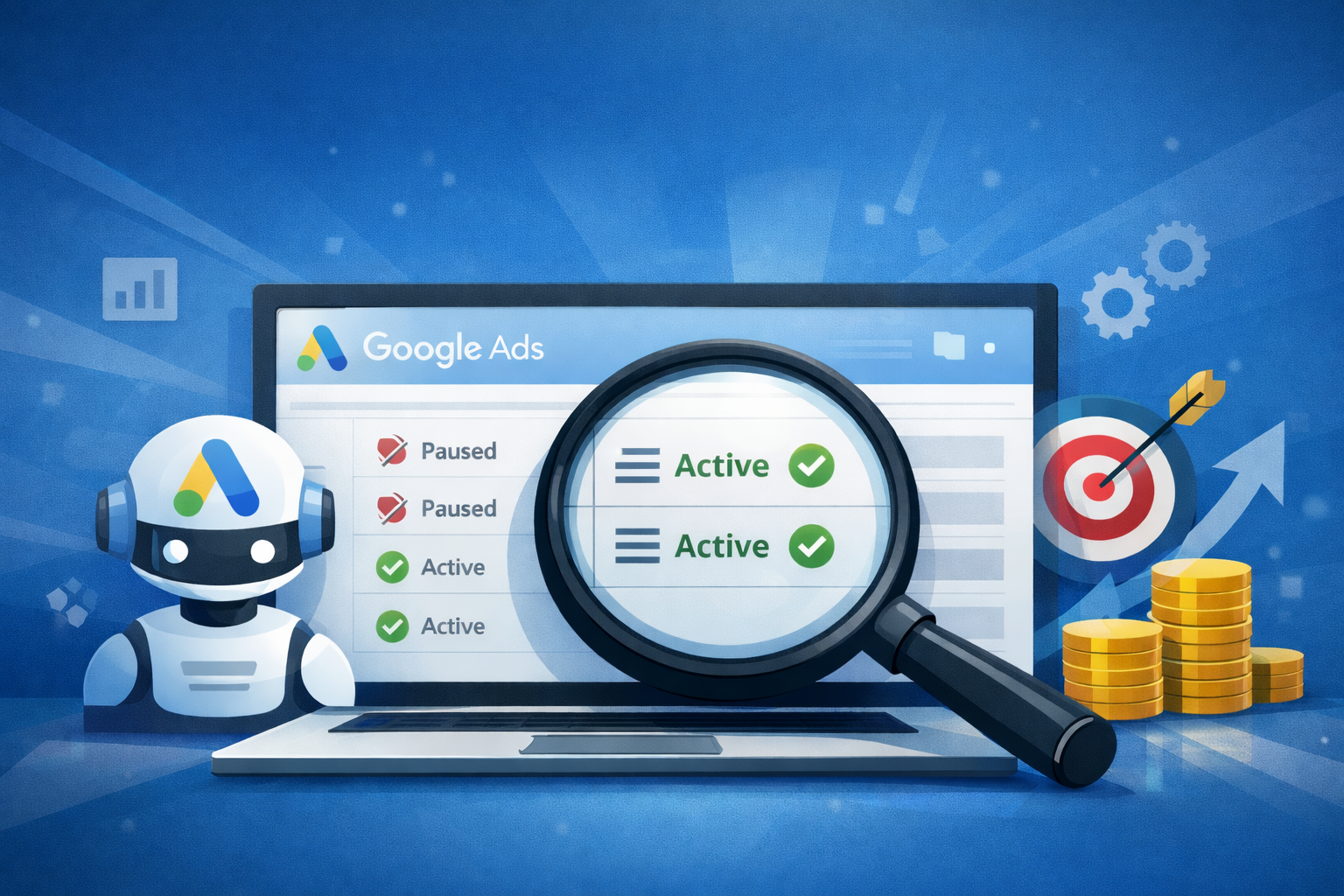
Many advertisers get confused when they see paused keywords suddenly running again inside their Google Ads account. You pause a keyword for a reason. Maybe it was wasting budget. Maybe it was irrelevant. Maybe you were testing something new. Then one day, you open your account and notice that the keyword is active again.

If this has happened to you inside Google Ads, you are not alone. Let’s understand why this happens and how you can control it.

Understanding How Google Ads Automation Works

Over the past few years, Google Ads has become more automated. Google promotes automation features that help advertisers improve performance without manually adjusting everything. These features include automated bidding, smart campaigns, recommendations, and auto-apply settings.

Sometimes, when certain automation features are enabled, the system may re-enable paused keywords if it believes those keywords can improve campaign performance. The platform analyzes search behavior, past performance data, and conversion trends. If the system predicts that a paused keyword can generate conversions at a good cost, it may suggest reactivating it.

If auto-apply recommendations are turned on, the system can automatically implement these suggestions without asking for manual approval.

The Role of Auto-Apply Recommendations

One common reason paused keywords get re-enabled is the “Automatically apply recommendations” feature. Inside Google Ads, there is a recommendations section where the system suggests improvements. These suggestions can include adding new keywords, switching match types, adjusting bids, or even re-enabling paused keywords.

If auto-apply is enabled, Google may automatically activate suggestions that fit your campaign goals. This can include turning paused keywords back on.

Many advertisers turn on this feature without fully reviewing what it allows the system to control. Later, they notice unexpected changes inside their campaigns.

Impact of Smart Bidding and Broad Match

Another reason keywords may behave differently is the use of Smart Bidding strategies. When using strategies like Target CPA or Maximize Conversions, Google focuses more on conversion probability than strict keyword control.

If you are using broad match keywords along with Smart Bidding, the system gets more flexibility. While it may not always directly “re-enable” a paused keyword in every case, automation can expand targeting and behave in ways that feel similar.

Because Google’s algorithm focuses on results rather than manual structure, it may override certain manual decisions if automation settings allow it.

Could It Be a Change in Account Access?

Sometimes the issue is not automation. It could be account access. If multiple people manage your Google Ads account, someone else may have reactivated the keywords.

Agencies, team members, or previous managers may make changes without informing everyone. In such cases, checking the Change History section inside Google Ads will clearly show who made the modification and when it happened.

The Change History tool is very helpful because it provides complete transparency. It shows keyword edits, bid changes, campaign adjustments, and status updates.

Why Google Encourages Automation

Google designs its advertising platform to improve performance through machine learning. From Google’s perspective, automation helps advertisers get better results with less manual effort.

However, not every automated suggestion aligns with your business strategy. For example, you may have paused a keyword because the traffic quality was poor, even if conversions were happening. The system may not fully understand qualitative business factors like lead quality, customer lifetime value, or offline sales feedback.

This is why full automation without supervision can sometimes create confusion.

How to Stop Keywords from Re-Enabling Automatically

If you want complete control, you need to review your settings carefully.

First, go to the Recommendations section and check whether auto-apply is enabled. If it is turned on, review which types of recommendations are allowed to apply automatically. You can disable the option that allows the system to re-enable paused keywords.

Second, regularly check the Change History tab. This will help you identify whether automation or a user made the change.

Third, make sure account access is limited to trusted users. Remove old agency access if necessary and confirm permission levels.

Finally, review your bidding strategy. If you prefer more manual control, consider using Manual CPC instead of fully automated strategies.

Should You Completely Avoid Automation?

Not necessarily. Automation in Google Ads can be powerful when managed properly. Smart Bidding can improve conversions. Broad match can discover new search terms. Recommendations can identify missed opportunities.

The key is balance. Automation should support your strategy, not replace it entirely. You should review changes regularly and ensure they align with your campaign goals.

For experienced advertisers, automation works best when combined with strong monitoring and clear objectives.

Final Thoughts

If your paused keywords are getting re-enabled automatically in Google Ads, do not panic. In most cases, it happens because of automation settings or auto-apply recommendations. Sometimes, it may be due to shared account access.

The solution is simple. Review your settings, check change history, and adjust automation preferences according to your comfort level.

Google Ads is becoming smarter every year, but it still needs human supervision. When you combine automation with proper monitoring, you can maintain control while still benefiting from Google’s machine learning capabilities.

Understanding how the system works will help you avoid confusion and manage your campaigns more effectively.

Google Uses Flash in AI Mode

Google Uses Flash in AI Mode

Artificial intelligence is changing how search engines work. Instead of just showing a list of links, search platforms are now giving direct, conversational answers. One big shift in this direction is Google’s decision to run its AI Mode on Flash. Many people have been asking why Google chose this approach and what it really means. According to Google’s Chief Scientist at Google, the answer is simple: speed, efficiency, and better user experience.

Let’s dissect it in an understandable manner.

What Is AI Mode?

AI Mode is Google’s advanced search experience where users can ask detailed or complex questions and receive AI-generated answers instead of only traditional search results. It feels more like chatting with an intelligent assistant than typing keywords into a search box.

This system is designed to understand context, follow-up questions, and user intent. Instead of giving ten blue links, it gives structured responses, summaries, and sometimes deeper explanations.

But for such a system to work smoothly for billions of users, it must be incredibly fast. That’s where Flash comes in.

What Is Flash and Why Does It Matter?

Flash refers to a lightweight and optimized AI model that focuses on delivering responses quickly and efficiently. It is built to handle high volumes of queries without slowing down.

According to Google’s Chief Scientist, when users search online, they expect answers instantly. User satisfaction can be impacted by even a slight delay.  Running AI Mode on Flash ensures responses are delivered in real time.

Speed is not just about convenience. It directly impacts how people use search. If AI responses are slow, users will lose trust and return to traditional methods. Google wants AI answers to feel natural and immediate.

The Importance of Speed in Search

Search has always been about speed. From the early days of the internet, Google built its reputation on delivering fast results. With AI-generated responses, the computational load is much heavier than simply indexing and ranking pages.

Large AI models can be powerful, but they are also resource-intensive. If Google used only massive, heavy models for every query, the system would become expensive and slower.

By running AI Mode on Flash, Google balances performance and cost. Flash is optimized to respond quickly while still maintaining high-quality answers. This allows AI search to scale globally.

Efficiency at Massive Scale

Google handles billions of searches every single day. Running advanced AI models for every query requires enormous computing power.

The Chief Scientist explained that efficiency is critical at this scale. Flash models are designed to reduce latency and use computational resources wisely. This makes it possible for Google to offer AI-driven search to millions of users at the same time.

Without such optimization, AI Mode would either be too slow or too expensive to operate at a global level.

Balancing Quality and Performance

Some people assume that faster models mean lower quality. However, Google’s strategy is more intelligent than that. Flash is not a weak model; it is optimized for common search queries and conversational tasks.

For more complex questions, Google can still rely on larger and more advanced models when necessary. But for everyday search needs, Flash provides the right balance between speed and intelligence.

This layered approach ensures users get both performance and reliability.

Why This Decision Is Strategic

From a business and technology perspective, running AI Mode on Flash is a strategic move. Google is competing in a market where users expect conversational AI, instant results, and accurate answers.

The Chief Scientist highlighted that AI systems must be practical, not just powerful. Innovation is not only about building the biggest model; it is about building the most useful one.

Flash allows Google to integrate AI into daily search behavior without disrupting the core experience users already trust.

Impact on SEO and Digital Marketing

For marketers and SEO professionals, this shift is significant. AI Mode changes how content is discovered and presented.

Instead of focusing only on ranking for keywords, businesses must now focus on clarity, authority, and structured content. AI systems summarize and interpret content differently than traditional algorithms.

If you run a digital marketing agency or provide SEO services, this evolution means adapting strategies. Content must answer questions clearly and directly because AI models extract meaningful insights rather than just matching keywords.

Understanding why Google runs AI Mode on Flash helps marketers prepare for the future of search.

The Future of AI in Search

Google’s decision shows that the future of search will be fast, conversational, and AI-driven. However, speed will remain the foundation. Even the smartest AI system fails if it cannot respond instantly.

By running AI Mode on Flash, Google ensures that AI-powered search remains scalable, efficient, and user-friendly.

The message from Google’s leadership is clear: AI is not just about intelligence; it is about usability at scale.

As AI continues to evolve, we can expect even more improvements in how search engines understand and respond to human language. But one thing will remain constant — performance matters just as much as power.

In simple terms, Google runs AI Mode on Flash because users want fast answers, businesses demand reliability, and global scale requires efficiency. This combination makes Flash the right choice for powering the next generation of search.

Google Ads Turning Paused Keywords

Google Ads Turning Paused Keywords

Running campaigns on Google Ads requires constant monitoring. Marketers pause keywords for many reasons. Sometimes the cost per click is too high. Sometimes the keyword brings irrelevant traffic. And sometimes performance simply drops. So it can be frustrating when you log in and notice that paused keywords are active again.

Many advertisers believe the system is automatically re-enabling keywords without their permission. In reality, there are specific reasons this happens. Understanding those reasons can help you stay in control of your campaigns.

Is Google Ads Really Re-Enabling Keywords Automatically?

First, it is important to clarify something. In most cases, Google Ads does not randomly turn paused keywords back on. The platform does not reactivate them without a trigger. When keywords become active again, there is usually a change in settings, automation rules, or campaign structure.

However, because the interface is complex and constantly evolving, it can feel like changes are happening automatically. If you manage multiple campaigns, accounts, or team members, tracking every change becomes difficult. That is where confusion begins.

The Role of Auto-Apply Recommendations

One of the most common reasons paused keywords become active again is the auto-apply recommendations feature. Google Ads provides suggestions to improve performance. These recommendations can include adding new keywords, adjusting bids, or fixing disapproved ads.

If auto-apply is enabled in your account, the system can automatically apply certain recommendations. In some cases, this may include reactivating keywords that Google believes can improve performance. For example, if a keyword previously had low search volume but now shows increased demand, the system might recommend enabling it again.

If this feature is active, changes can happen without manual approval. That is why it is important to regularly check your recommendation settings.

Automated Rules and Scripts

Another reason paused keywords get re-enabled is automated rules. Many advertisers create rules such as “enable keywords if conversions increase” or “increase bids when performance improves.” These rules run on a schedule.

If a rule includes keyword status changes, it may unintentionally reactivate paused terms. Sometimes these rules are created months earlier and forgotten. When conditions are met, they trigger automatically.

Similarly, advanced accounts sometimes use scripts to manage campaigns. Scripts can change keyword status, bids, and budgets. If you are managing performance campaigns or working with an agency, scripts might be running in the background.

Before assuming the system made a mistake, check your automated rules and scripts section.

Shared Libraries and Bulk Changes

If you manage multiple campaigns, shared settings can also affect keyword status. When changes are made at the campaign or ad group level, keywords can be impacted indirectly.

For example, duplicating a campaign may bring paused keywords into a new campaign where they are active by default. Bulk uploads using spreadsheets can also overwrite keyword status if the status column is not handled carefully.

In busy accounts, especially when multiple team members are working together, small bulk changes can lead to unexpected results.

Campaign Type and Smart Features

Modern Google Ads campaigns rely heavily on automation. Smart Bidding, Performance Max campaigns, and AI-based optimization all focus on improving results. While these systems do not directly unpause keywords in standard search campaigns without instruction, they can shift how traffic is distributed.

In some cases, advertisers confuse new keyword suggestions or broad match expansions with reactivated paused keywords. The system may introduce similar search terms, making it appear as though old keywords are active again.

Automation is powerful, but it requires supervision. The more automated your account is, the more important monitoring becomes.

How to Check What Actually Happened

Instead of guessing, use the Change History feature inside Google Ads. This section shows exactly what was modified, when it was changed, and whether it was done by a user or by the system.

If the change history shows “Auto-applied recommendation,” then the system made the adjustment based on enabled settings. If it shows a user email, then someone with access to the account made the change.

This feature gives transparency. Before taking action, always review change history to understand the root cause.

How to Prevent Keywords from Being Re-Enabled

If you want full manual control, the first step is to disable auto-apply recommendations. Go to the recommendations section and review which options are turned on. Turn off any automatic keyword-related changes.

Next, review automated rules. Make sure no rule includes enabling paused keywords unless that is your intention.

If multiple people manage the account, define clear responsibilities. Limit admin access when possible. Many unexpected changes happen because several users are working without coordination.

Finally, conduct weekly audits. Even a quick review of keyword status can prevent small issues from becoming large budget problems.

Why This Matters for Performance

When paused keywords become active again, they can affect budget allocation. Low-performing keywords may start spending again. Cost per conversion can increase. Quality Score may be impacted if irrelevant traffic grows.

For businesses running performance campaigns, especially for lead generation or app installs, even small changes can influence results significantly. Monitoring keyword status ensures that your strategy remains aligned with your goals.

Digital advertising platforms are becoming more automated each year. While automation saves time, it does not replace human decision-making. The best results come from combining automation with strategic oversight.

Final Thoughts

If you notice paused keywords becoming active in Google Ads, do not panic. The platform is not randomly changing your account. Changes are always made for a cause.

Most commonly, the cause is auto-apply recommendations, automated rules, bulk edits, or shared account management. By reviewing your settings and monitoring change history regularly, you can maintain full control.

Google Ads is a powerful tool, but like any powerful system, it requires attention. Stay proactive, review your automation settings, and make data-driven decisions. When you manage your campaigns carefully, unexpected surprises become manageable adjustments rather than costly mistakes.

Google Ads Is Turning Paused Keywords

Google Ads Is Turning Paused Keywords

Digital advertisers rely on control. When you pause a keyword inside your Google Ads account, you expect it to stay paused. However, many advertisers have recently noticed something unusual. Paused keywords are being automatically re-enabled by the system. This situation has created confusion, frustration, and important questions about how automation works inside Google Ads.

In this blog, we will understand why this is happening, what it means for advertisers, and how you can protect your campaigns.

The Growing Role of Automation in Google Ads

Over the last few years, Google has shifted heavily toward automation. Features like Smart Bidding, broad match expansion, automatically created assets, and AI-driven campaign recommendations are now central to the platform. Google’s system constantly analyzes data such as search behavior, device usage, time of day, and user intent to improve performance.

Because of this automation push, the system sometimes applies recommendations automatically. If your account has auto-apply recommendations turned on, Google may make changes without asking for manual approval every time. This includes enabling keywords that were previously paused if the system believes they can improve performance.

The goal behind this automation is simple. Google wants campaigns to capture more relevant searches and increase conversions. But in practice, this can create tension between machine optimization and advertiser control.

Why Are Paused Keywords Being Re-Enabled?

There are several reasons this may happen.

One common reason is the auto-apply recommendations setting. Inside Google Ads, there is an option that allows the platform to automatically apply suggestions such as adding new keywords or re-enabling paused ones. If this feature is active, Google may assume that a paused keyword still has potential and turn it back on.

Another reason is the use of broad match combined with Smart Bidding. When broad match keywords are active, Google’s system tries to match ads with related search terms. If the platform identifies historical data suggesting a paused keyword could generate conversions, it may attempt to reactivate it through recommendations.

Campaign type can also play a role. Automated campaign formats such as Performance Max rely heavily on AI signals. In these campaign types, control over individual keywords is already limited. The system prioritizes overall performance goals rather than manual keyword management.

How This Impacts Advertisers

For small and medium businesses, budget control is critical. If paused keywords are reactivated without clear awareness, it can increase spend unexpectedly. This may lead to clicks from less relevant search terms or traffic that does not convert.

For agencies managing multiple accounts, this situation can create reporting inconsistencies. A client may question why spend increased on a keyword that was intentionally paused earlier. Trust becomes a concern when automation overrides manual decisions.

There is also a strategic issue. Keywords are usually paused for a reason. They may have low conversion rates, high cost per acquisition, or irrelevant traffic. When the system re-enables them automatically, it may disrupt carefully planned optimization strategies.

Why Google Is Moving in This Direction

Google’s strategy is focused on AI-driven advertising. The company believes machine learning can outperform manual management in most scenarios. By analyzing massive amounts of data across industries, Google’s system attempts to predict which searches are most likely to convert.

From Google’s perspective, re-enabling keywords is not about ignoring advertiser decisions. It is about maximizing campaign performance based on data signals. The platform assumes that conditions change. A keyword that did not perform well last month might perform better today due to seasonality, competition shifts, or changes in user behavior.

This reflects a broader trend in digital advertising where platforms move from manual control toward automated optimization.

How to Prevent Automatic Re-Enablement

If you want full control over your account, you need to review your recommendation settings carefully.

Inside Google Ads, check whether auto-apply recommendations are active. If enabled, review which types of recommendations are selected. You can disable automatic application for keyword additions and reactivations.

Regular account audits are also important. Monitor change history to see when keywords are being enabled and by what source. This transparency helps you identify whether changes were manual or system-generated.

Using negative keywords strategically can also protect your campaigns. Even if a paused keyword gets reactivated, strong negative keyword lists can prevent irrelevant search queries from triggering your ads.

Most importantly, align automation with your goals. Automation is powerful when used intentionally. If you prefer manual keyword control, limit automated features. If you trust AI optimization, monitor results closely and set clear performance targets.

Balancing Control and Automation

The issue of automatically re-enabled paused keywords highlights a larger shift in digital advertising. Platforms are evolving from tools that follow direct instructions into intelligent systems that make decisions on behalf of advertisers.

Automation can save time and improve performance, but it requires careful supervision. Blind trust in AI can lead to overspending or strategic drift. On the other hand, rejecting automation completely may limit growth opportunities.

The best approach is balance. Understand how the system works, monitor changes regularly, and make informed decisions about which automated features to use.

Final Thoughts

The automatic re-enabling of paused keywords inside Google Ads is not a technical error in most cases. It is a result of increased automation and AI-driven optimization. While the intention is to improve campaign results, it can create confusion if advertisers are unaware of the settings.

As a digital marketer or business owner, your role is no longer just to select keywords. It is to manage automation intelligently. Review your account settings, monitor change history, and ensure your campaign strategy aligns with your business goals.

In today’s advertising environment, control is not about doing everything manually. It is about understanding when to guide the machine and when to let it optimize.